MacBook mockups
Create a MacBook mockup from your screenshot
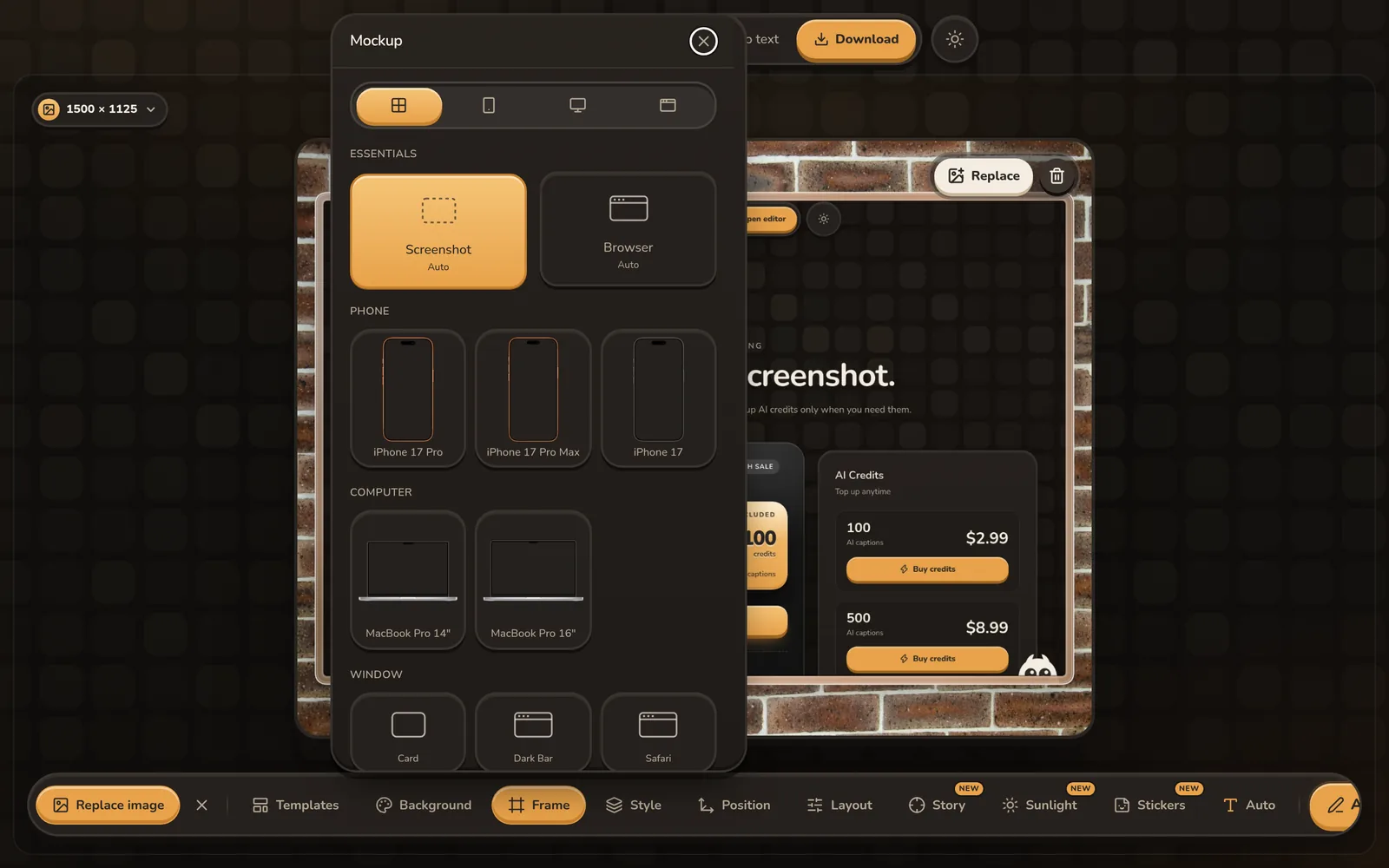
Present a dashboard, website or desktop product inside a MacBook Pro frame without Photoshop. Upload the screen, choose a 14-inch or 16-inch MacBook Pro mockup, and add a background and layout for social posts, launch pages or product updates.
Make a MacBook mockupFree to start. No card needed.
How to make a MacBook screenshot mockup
- 1
Upload the screen
Add a landscape website, dashboard, desktop app or product screenshot.
- 2
Pick a MacBook frame
Choose the MacBook Pro 14-inch or 16-inch device mockup.
- 3
Compose and export
Apply a background, shadow and 3D-style layout, then download at the size you need.
MacBook mockup options
MacBook Pro 14-inch
A compact laptop frame for product screenshots and focused feature presentations.
MacBook Pro 16-inch
A larger laptop frame for dashboards, analytics and detailed desktop interfaces.
Automatic screen fitting
The uploaded screenshot fits into the device display so you can focus on composition.
3D-style layouts
Use tilt, turn, isometric, corner-peek and float layouts without manual perspective work.
Static or motion backgrounds
Choose gradients, photos, wallpapers or animated loops behind the laptop.
Social presets
Export the same MacBook design for X, LinkedIn, Instagram, YouTube or Product Hunt.
Questions
Which MacBook mockups are included?
ShotGenio includes MacBook Pro 14-inch and MacBook Pro 16-inch frames.
Do I need Photoshop to make a laptop mockup?
No. Upload the screenshot, choose a MacBook frame and export directly from your browser.
Can I angle the MacBook mockup?
Yes. One-click layouts include tilt, turn, isometric, corner peek and float.
Can I export an animated MacBook mockup?
Yes. Use a motion background and export as GIF, MP4 or WebM.
See pricing: free, or $4.99 once for the Lifetime Editor.